
01
Capture the meal
Use the camera flow to identify food and estimate carbs, protein, fat, and calories.
GlucIQ puts the parts of a day together: photo meal analysis, editable estimates, CGM context, insulin context, and a history that is easy to review.
Editable estimates
Photo analysis starts the log. You correct the values before saving.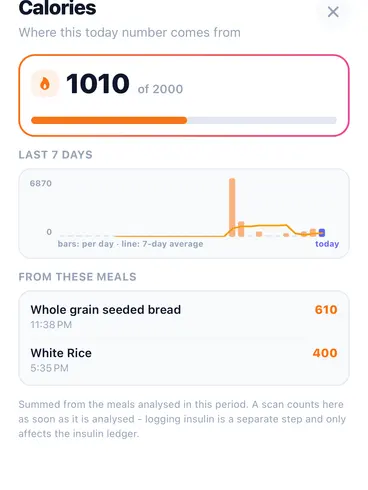
Not dosing advice
Insulin stays a value you log yourself, never a dose the app decides.Meal → response
one editable record from estimate to reviewDexcom + LibreLinkUp
documented integration paths in launch validationPlate → item list
the scanner keeps the photo and lists the foods it foundEditable by design
AI estimates stay reviewable before savingThe app experience should stay direct: capture the meal, edit the estimate, add glucose and insulin context, then review the response.
01
Use the camera flow to identify food and estimate carbs, protein, fat, and calories.
02
The app shows the portion it assumed for each food, so a number that looks wrong can be fixed instead of guessed at again. Change the portion, or pick a real one like a regular slice at 32 g, and the carbs follow your correction.
03
Use connected CGM data when available or log glucose and insulin manually when needed.
04
See the meal, glucose movement, insulin context, and notes in a cleaner timeline.
A carb number only helps if you can see how much food it came from.
01
Every food in the photo carries the portion the app assumed, in grams. Nothing is buried in the meal total.
02
Take a real portion instead of guessing at grams: a regular slice of bread is around 32 g, a yogurt pot around 125 g. Plain gram entry stays available where there is no reference portion.
03
Change the portion and the carbs, protein, fat and score are recalculated from the composition table, not from the model's memory.
GlucIQ is informational support. It does not diagnose, treat, or make or automate dosing decisions.
What each feature does, what it does not do, and where treatment authority stays: with you and your clinician.
Food recognition with editable nutrition estimates before saving.
Documented paths for Dexcom OAuth and FreeStyle Libre via LibreLinkUp.
Meal, glucose, and insulin context still work when sync is incomplete.
Formula context can be shown as explanation, not as autonomous instruction.
The portion the app assumed is shown for each food, so you fix it instead of guessing again. Carbs and score follow your correction.
Nutrition values are checked against a USDA-derived composition table rather than taken on the model's word.
Designed around a timeline that is easier to bring into appointments.
Insulin-related areas stay framed as informational support.
Review
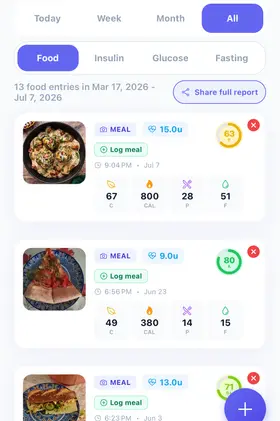
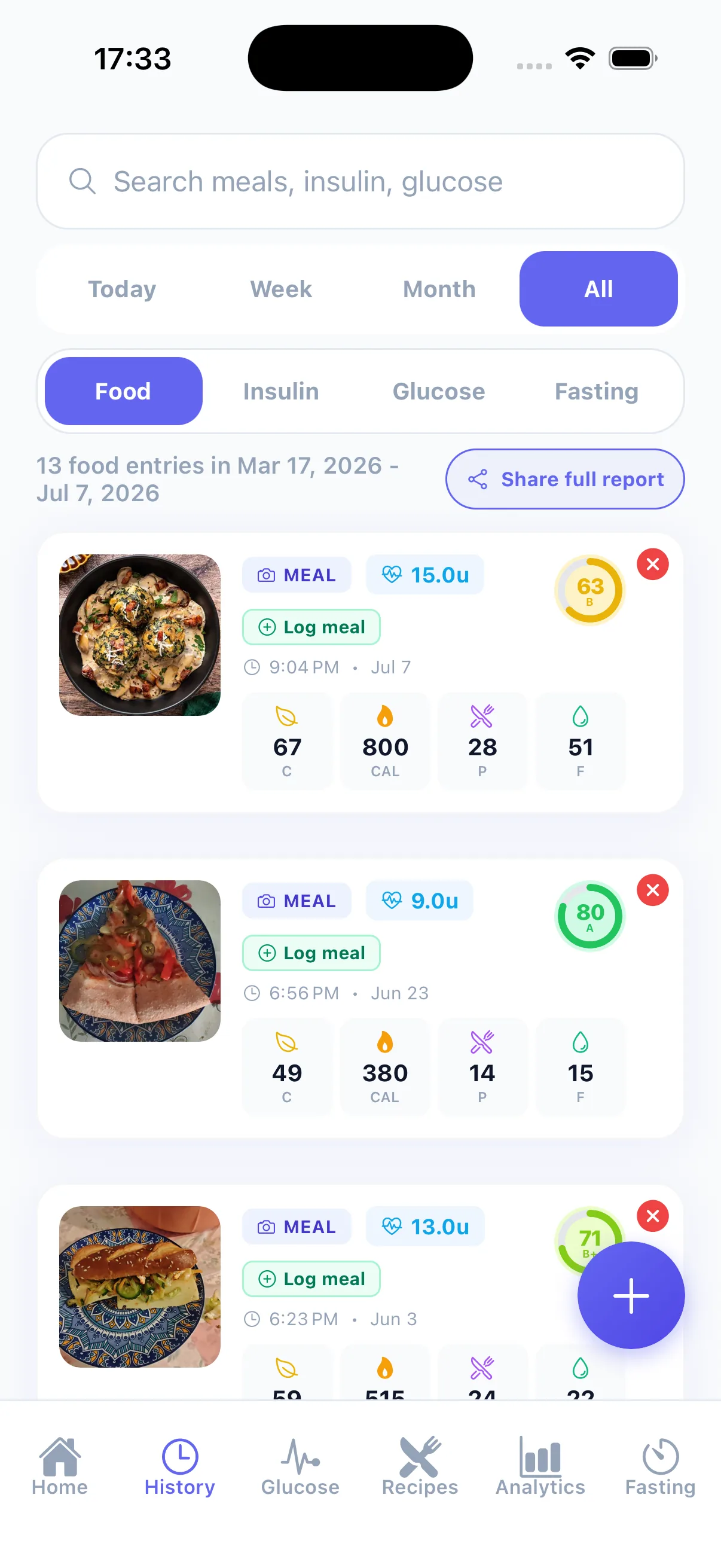
The record keeps enough context to answer what happened later: the meal, the glucose that followed, insulin timing, and notes.
GlucIQ is informational support. It does not diagnose, treat, or make or automate dosing decisions.
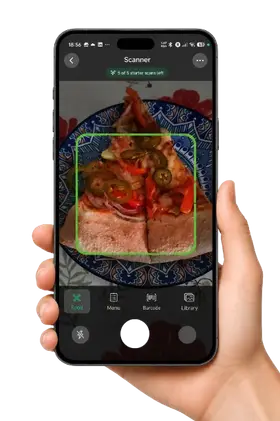
Captures from the GlucIQ app: the meal scanner, the portion list, the daily score and nutrition widgets, the glucose trend, and the fasting timer.
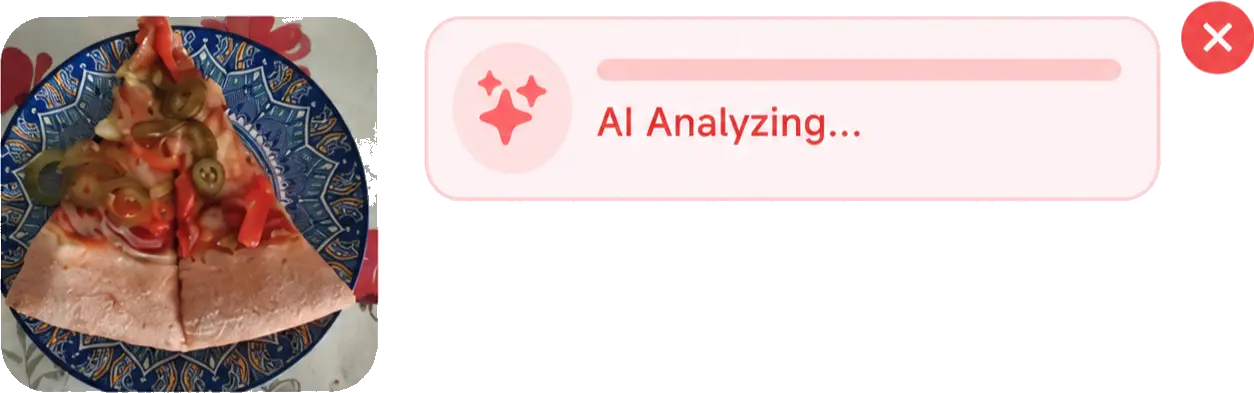
Meal analysis in progress
The scanner captures a meal photo and shows an analysis state before any nutrition values appear.
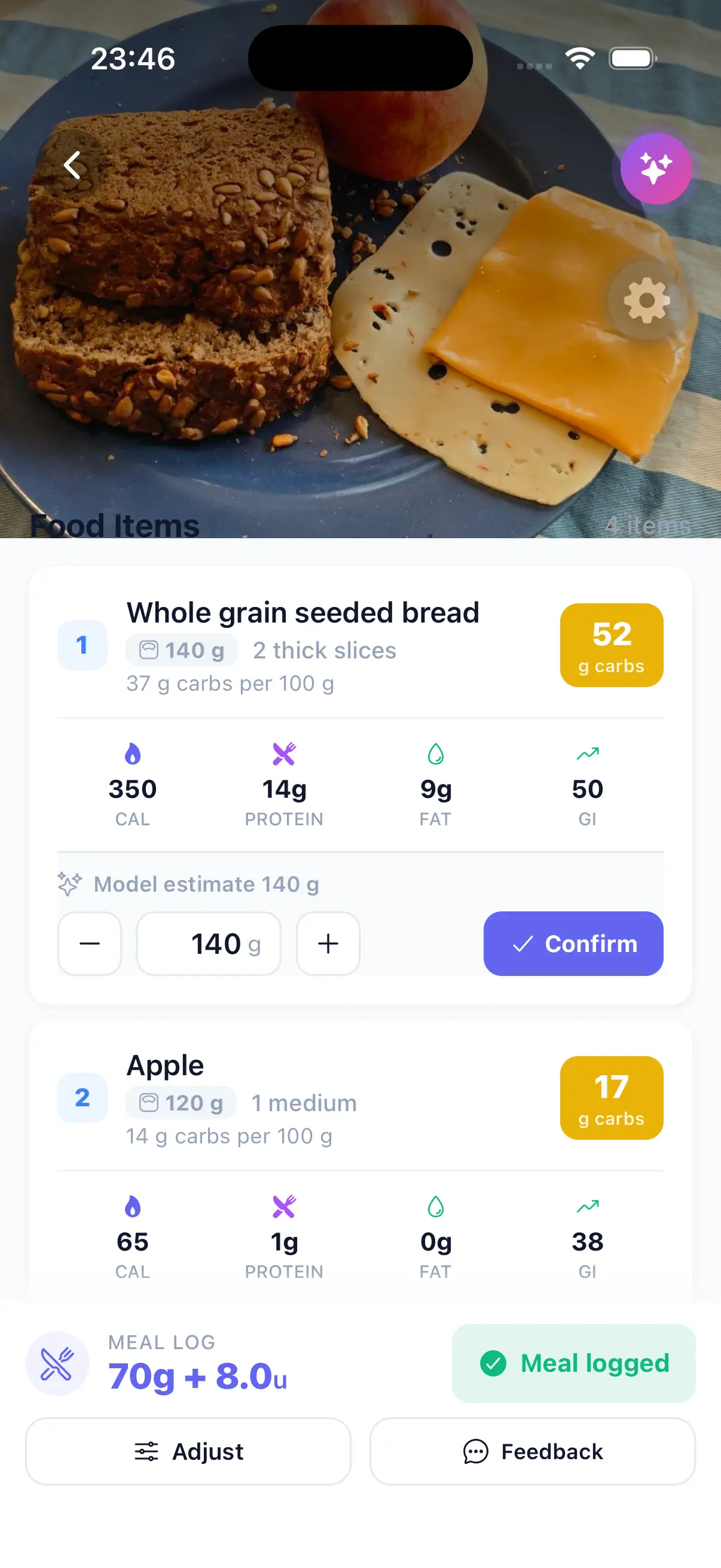
Portion, then confirm
Each item shows the portion the model assumed, with a control to correct the grams and a confirm step before anything is saved.
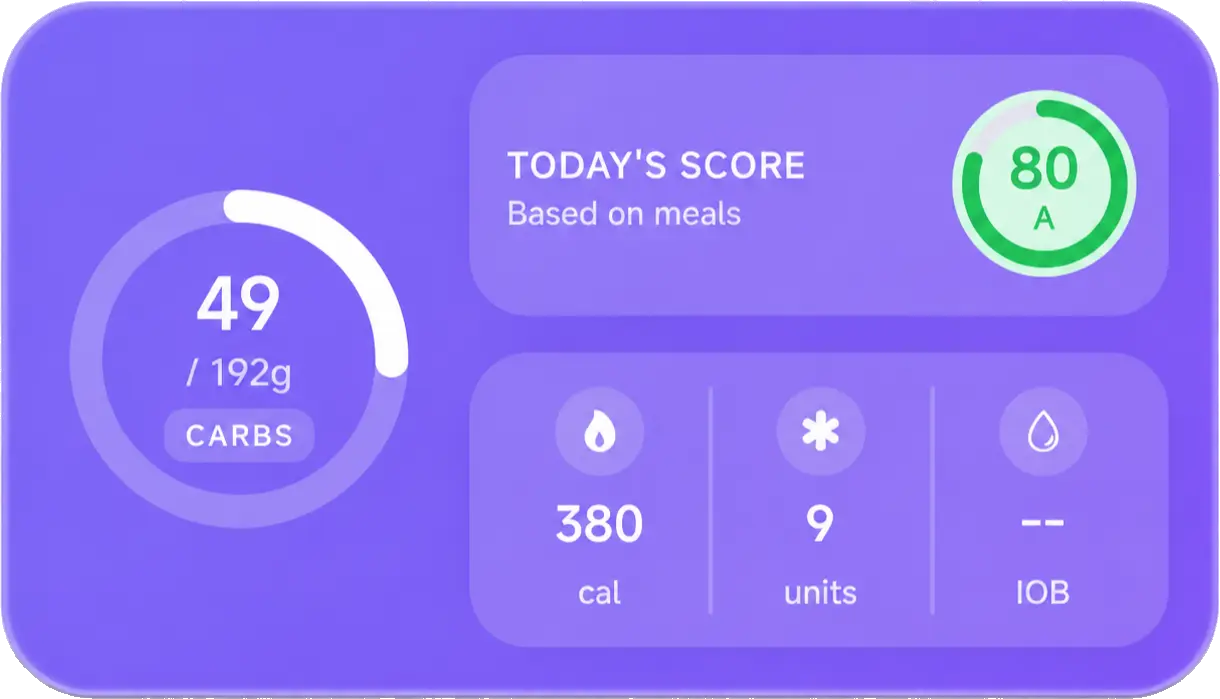
Daily score widget
The home widget combines a daily score with the carbohydrate total against target, calories, logged insulin units, and insulin on board.
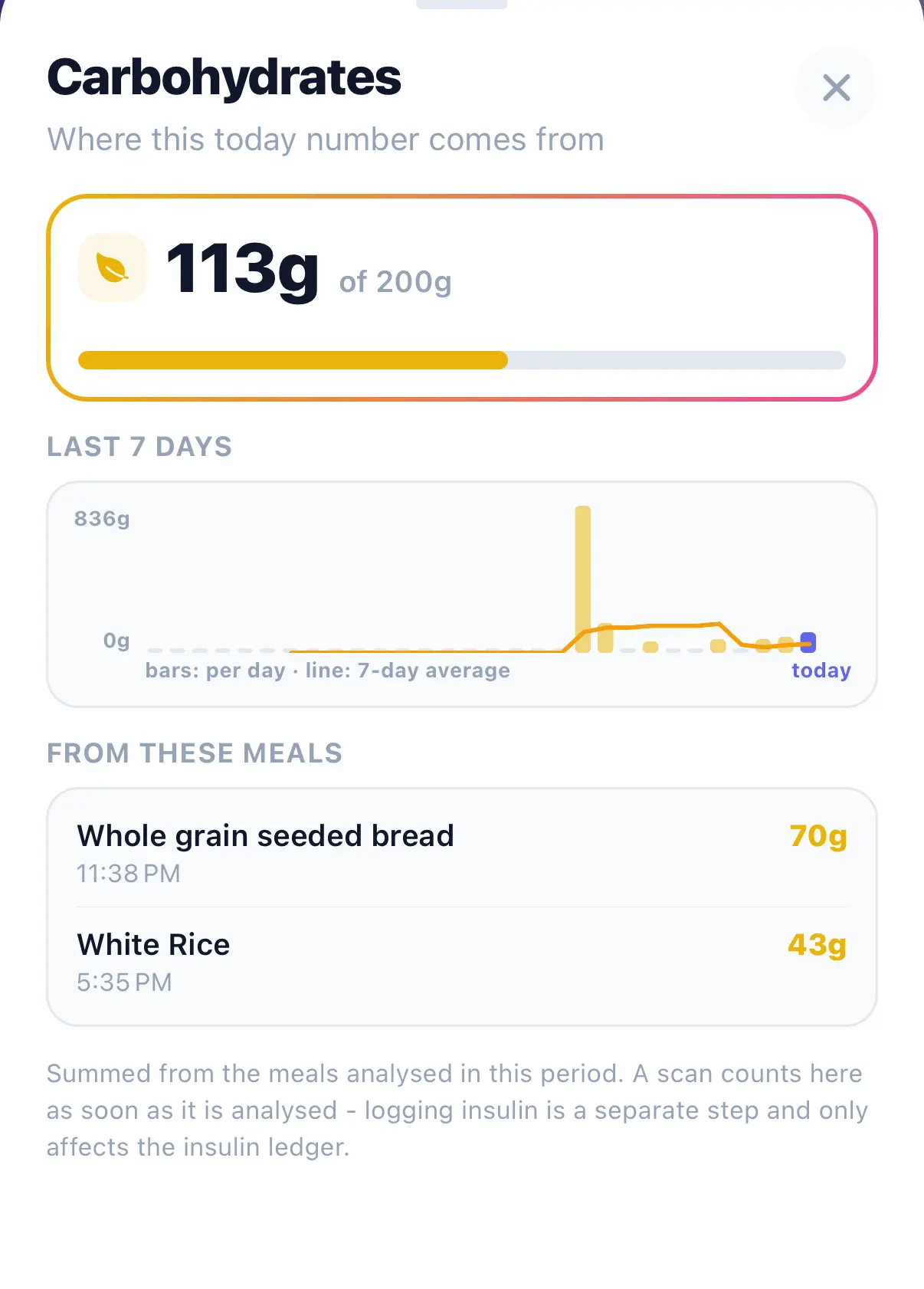
Where the carbs number comes from
The carbohydrate total, the last seven days behind it, and the meals the grams came from.
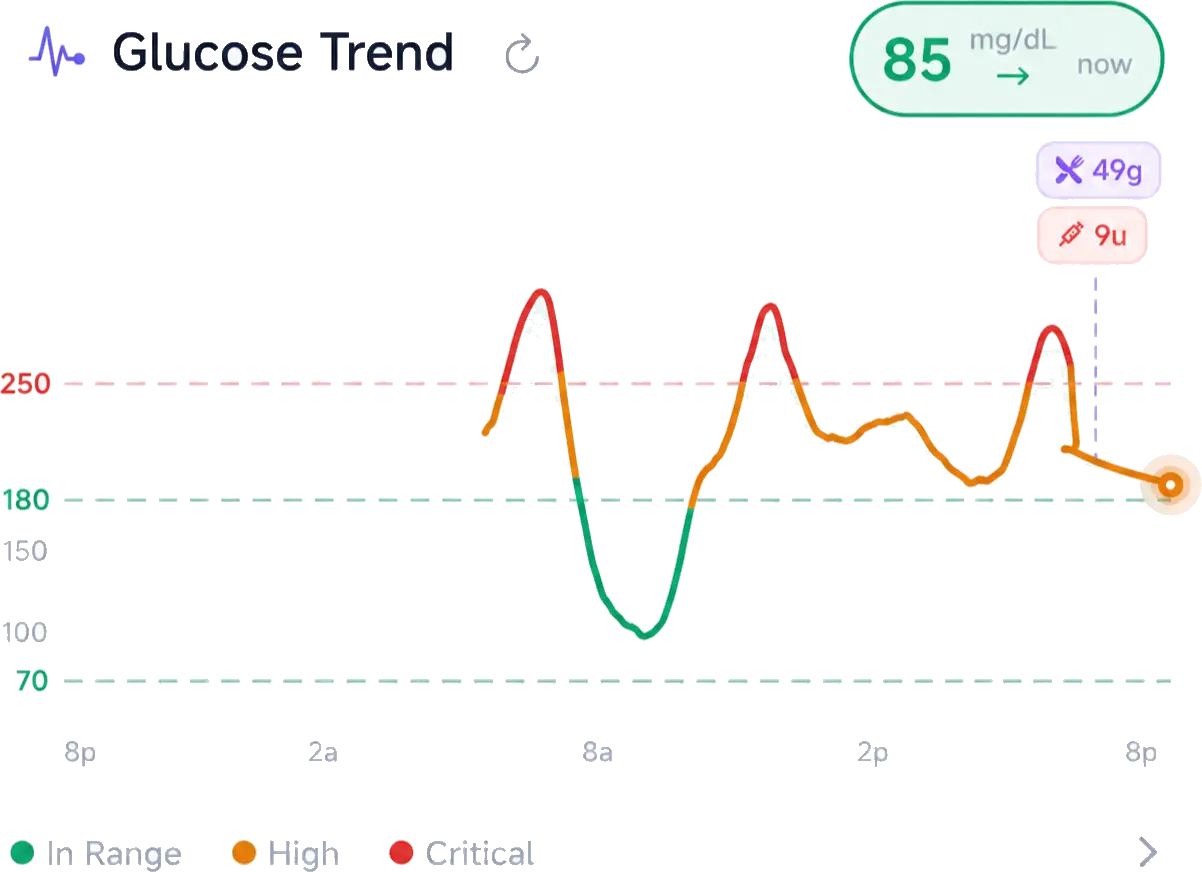
Glucose trend
A glucose curve with in-range, high and critical bands and markers for a logged meal and a logged insulin entry.
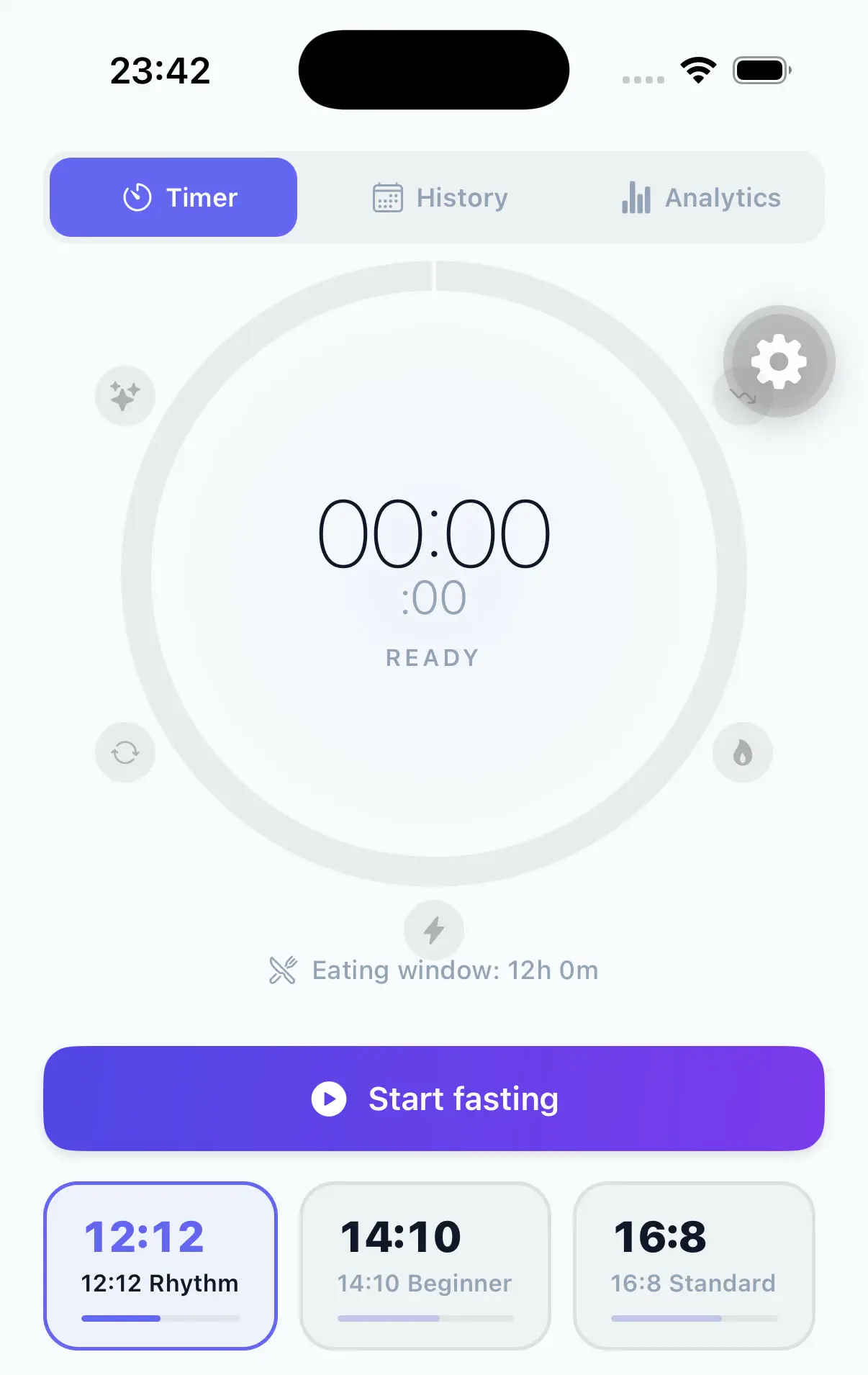
Fasting timer
The fasting tab starts from a preset or a custom window, and the ring tracks the elapsed fast.
FAQ
Billing and trust
The subscription is billed by the App Store or Google Play, not by us. We never see or store your card. You cancel in the store, and the subscription settings screen in the app links straight to it. Renewal terms will be published in the same block as the price, before you can buy.
Because the App Store and Google Play listings are not final, and we will not publish a number we cannot honour. What is free today stays free.
Logging glucose, insulin, meals and fasting, your history, the timeline, and every manual entry path stay free. The paid feature is meal and menu scanning: the photo estimate and the menu lookup.
Notifications are opt-in and only about your own logging, never a sales nudge. The rating prompt is rate-limited, so it cannot ask again and again. And a number you can work out here, like your time in range or your carb ratio, is never hidden behind the paywall.
Estimates and their limits
It is an estimate from a photo, and it is wrong more often than people expect, especially for mixed dishes and portion size. We do not claim accuracy, and we do not claim that the same meal gives the same number twice. That is exactly why the portion is shown and editable before it saves.
Yes. A photo estimate changes with the photo: lighting, angle, and how much of the plate is visible. That is why GlucIQ shows the portion it assumed for every item, why you correct it, and why the saved record holds your number rather than ours.
Correct or add items before you save, adjust the portion, or log the meal a different way: by hand, by barcode, or from your library. Nothing forces you to keep an estimate you do not trust.
No. GlucIQ is built so you do not have to. Every item shows the portion the app assumed, you can edit it before anything saves, and the macros are checked against a fixed composition table rather than taken from the model on its own. It is never a dosing instruction.
The mental load
No. GlucIQ assumes a portion for each item and shows it, so you start from a number instead of an empty field. Weighing is optional precision, not a requirement. A reference portion like a normal slice of bread is one tap away.
One photo, then a short correction pass if the estimate is off. When you do not want to photograph anything, manual entry, barcode and library are there instead.
A diary, a notes app or a spreadsheet can hold the number, but it cannot help you get the number right or show what followed. GlucIQ keeps the photo, the meal, the glucose curve and your notes in one record, and it shows the portion it assumed for each item so you correct it before it saves, instead of typing a guess into a cell.
Eating out and real food
That is the meal GlucIQ is built around. Use menu mode to look up the dish, barcode mode for packaged food, or the library for something you eat often. Then check the items and the portions it assumed, sauces and sides included, and correct what looks wrong before you save. No accuracy claim: it is an estimate you get to fix.
The tools include a Fat-Protein Units (FPU) planner as education for the delayed effect of fat and protein. Your ratios stay yours, and your care team confirms them. GlucIQ does not set them for you.
Connections
The documented paths today are Dexcom (G6/G7 and Share/Follow accounts) and FreeStyle Libre through LibreLinkUp, both still being validated for launch reliability. Sensors people ask about most, like Stelo, Lingo, Eversense and Medtronic, and platform sync like Apple Health and Health Connect, are not available yet. Manual glucose entry works with any meter, or none.
Yes. Manual glucose, meal and insulin logging is a first-class path, and the timeline works the same way. If sync drops, manual logging keeps the record continuous while a connection is checked.
GlucIQ begins with DE and US food context. Country-aware recognition expands from there; release availability will be published by region.
Your data
Your history stays yours and it lives on your device. Export it any time from Settings → Privacy and Security → Export Device Data. Deleting your account removes it, in the app under Account and Security or on the web. What is retained and why is described in the Privacy Policy.
Your records sync to your account and restore when you sign in on a new device. The export gives you a file that does not depend on us.
No sale and no advertising SDKs, and your health records are never used to train our own models. To produce an estimate, the photo and the context it needs go from the app to our backend, which passes them to a third-party model provider; we configure the integration so your content is not used for model training. You can also log without photos at all.
No. GlucIQ never measures glucose. Readings come from what you type in, or from a sensor or meter account you connect.
Boundaries
No. GlucIQ claims no clearance, certification or approval in any market, makes no diagnostic or therapeutic claim, and does not replace your care team.
No. GlucIQ organizes meal, glucose and insulin context, but it does not tell you how much insulin to take and does not replace a regulated bolus calculator. Confirm every decision with your clinician, and never dose from an estimate.